
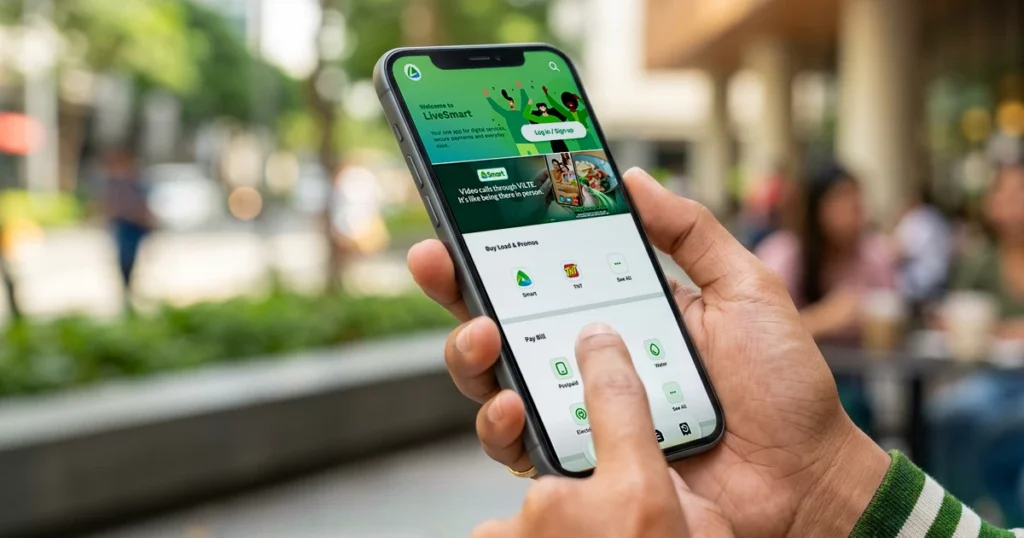
Smart Launches LiveSmart App with Cashbacks and Free AI
Smart’s new LiveSmart app bundles bills, AI tools, and cashback rewards in one platform for Philippine users seeking convenience and savings.
LiveSmart app features
What Makes the LiveSmart App Stand Out Among Bill Payment Platforms
Most Filipinos juggle multiple apps just to pay their bills, top up their phone load, and manage subscriptions. The LiveSmart app from Smart Communications attempts to consolidate these tasks under a single interface, eliminating the friction of switching between platforms. What sets it apart isn’t just convenience—it’s the integration of artificial intelligence tools alongside traditional payment features, a combination rarely seen in telco-branded apps.
The app targets a specific pain point: managing recurring expenses without losing track of discounts or rewards. By bundling cashback incentives with everyday transactions, Smart is banking on the idea that users will stay engaged rather than wandering to competitor apps.
Understanding the Cashback and Rewards Structure
The LiveSmart app incentivizes users to complete various actions through a cashback system. When you pay bills, purchase load, or settle other services through the platform, you earn rebates that can offset future purchases. This isn’t revolutionary, but the execution matters—how easily you can track, redeem, and apply these cashbacks determines whether users actually find value.
The app doesn’t require a separate wallet or complex redemption process. Cashback accumulates as you transact, and you can apply it directly to subsequent purchases. For frequent users managing multiple household bills or company accounts, this compounds into meaningful savings over several months.
Smart hasn’t published an exhaustive list of eligible transactions or exact cashback percentages for every service category, so your first step should be downloading the app and exploring the current offers available in your region or account tier.
The Free AI Features Built Into LiveSmart
The inclusion of free AI tools within a bill-payment app signals a broader shift in how telcos view their platforms—not just as transactional gateways, but as lifestyle utilities. LiveSmart incorporates AI features that go beyond simple chatbots. Users can leverage these tools for productivity tasks, content generation, or information lookup without paying extra subscription fees.
The specific AI capabilities available through LiveSmart aren’t limited to customer service inquiries. Instead, they’re positioned as general-purpose tools that complement everyday tasks like drafting messages, researching information, or brainstorming ideas. This positions the app as something you’d open regularly for reasons beyond bill payment alone.
Since these features are bundled into the core app experience, there’s no separate AI subscription tier to manage. Access depends on your Smart account status and local availability, so availability may vary by region within the Philippines.
How to Download and Get Started with LiveSmart
The LiveSmart app is available through the standard mobile app distribution channels. Android users can find it on Google Play Store, while iOS users should check the Apple App Store. Installation is straightforward—search for “LiveSmart” by Smart Communications and download the official app published by Smart Communications, Inc.
Upon launch, you’ll authenticate using your existing Smart account credentials. If you’re a postpaid subscriber or have a registered prepaid account, the login process integrates directly with Smart’s existing authentication system. New users without a Smart account can register within the app, though account verification may take a few minutes.
After login, you’ll see your dashboard displaying available bills, load balance, and current cashback status. The interface is designed to highlight which transactions earn cashback and which promotions are running. Spend a moment reviewing the rewards section to understand what actions benefit you most.
Comparing LiveSmart to Other Telco and Bill Payment Apps
Several competitors offer bill payment functionality—from GCash to other telco apps and dedicated platforms. What differentiates LiveSmart is the combination of three elements working together: seamless bill consolidation for Smart services, built-in AI assistance, and integrated cashback rewards.
Traditional bill payment apps treat rewards as an afterthought. LiveSmart positions cashback as a core feature encouraging regular app usage. Meanwhile, most productivity apps that offer AI tools charge subscription fees or limit free tier access. The fact that LiveSmart bundles these for free to Smart subscribers removes friction that typically exists across separate platforms.
The tradeoff is scope—LiveSmart is optimized for Smart services and affiliated partners. If you’re also paying bills with other providers not covered by LiveSmart, you’ll still need supplementary apps. For households primarily using Smart for broadband, mobile, or TV subscriptions, though, consolidation is achievable.
Common Questions About the LiveSmart App
Is the LiveSmart app truly free to use? Yes. The app itself is free to download and use. Cashback rewards are also free—you don’t pay extra to earn them. AI features are included at no additional charge. You only pay for the services and bills you’re already using through Smart.
Which devices can run the LiveSmart app? The app works on both Android and iOS smartphones. Older devices should still support it, though very outdated operating systems might face compatibility issues. Check your device’s current OS version against the app store listing before downloading.
Can I use LiveSmart if I’m on a prepaid plan? Yes, though the full range of features may vary depending on your account type. Prepaid users can still pay bills, purchase load, and access basic features, but some premium features might be reserved for postpaid subscribers. Verify your account details within the app.
Practical Next Steps for Smart Subscribers
If you’re managing multiple Smart bills—whether that’s mobile service, home broadband, or cable TV—downloading LiveSmart consolidates those into a single management point. Start by linking all your Smart accounts, even if you don’t immediately need the app. Once linked, you’ll see your entire service portfolio in one dashboard, making it easier to track payments and cashback accumulation.
Explore the AI features before relying solely on external tools. While purpose-built AI apps offer more advanced features, the basic capabilities built into LiveSmart might handle routine tasks you currently outsource to other platforms. Keep an eye on Smart’s update announcements—the company is likely to expand both AI capabilities and cashback coverage as the app matures.


